
We sometimes read news about kidnappings where victims are held for ransom. The same concept exists in the digital world — except here, it’s your data that’s taken hostage. Imagine waking up to find every file on your business network encrypted, with no way to open a single document, spreadsheet, or photo.
Welcome to the world of ransomware, where attackers block access to your data, demand payment for its release, and in many cases, threaten to leak sensitive information if you refuse.
What Is Ransomware and How Does It Work?
Ransomware is a type of malicious software that encrypts your company’s data and demands payment to decrypt it. Some variants also exfiltrate information and use it as blackmail.
One example is Akira (see screenshot below), a fast-spreading ransomware strain that targets businesses globally by encrypting critical files and demanding cryptocurrency payments for their recovery.

For Malaysian businesses, ransomware is no longer a distant threat.
Attacks here have surged in recent years, hitting organisations from hotels and retailers to public services and manufacturers. Whether you’re protecting customer databases or internal financial records, a successful ransomware attack can halt operations in minutes.
What makes ransomware especially dangerous is its speed. One click on a malicious email attachment or link can compromise an entire network. Recovery isn’t as simple as paying the ransom (which experts strongly advise against) because the real cost includes downtime, lost productivity, compliance violations, reputational harm, and potential legal penalties under Malaysia’s Personal Data Protection Act (PDPA).
How Do Ransomware Attacks Happen in Malaysian?
Ransomware attacks often begin with phishing emails, exposed remote access points, unpatched systems, or compromised supply chain tools. Once inside, the malware encrypts files and attempts to spread across the network, locking down data until a ransom is paid.
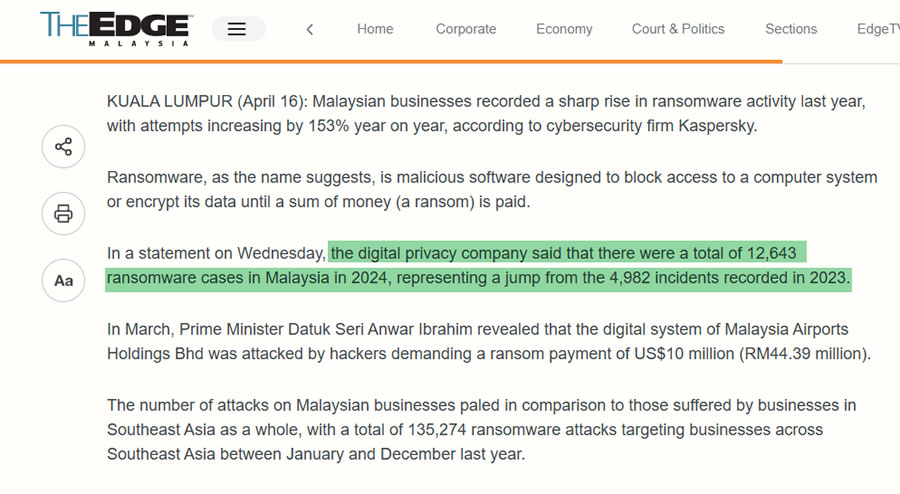
In Malaysia, the threat is growing at a rapid pace. The Edge Malaysia reported 12,643 ransomware cases in 2024, up from 4,982 cases in 2023, a 153% year-on-year increase. The impact spans industries, from manufacturing and hospitality to education and public infrastructure.
Recent and notable ransomware incidents in Malaysia include:
- Manufacturing Sector Attacks – 2025
Throughout mid-2025, groups including Qilin, Global, Inc Ransom, and Crypto24 launched multiple ransomware campaigns against Malaysian manufacturing companies. These incidents caused production downtime and delayed deliveries to both domestic and export markets. - Malaysia Airports Holdings Berhad (MAHB) – March 2025
Hackers compromised MAHB’s digital systems and demanded a US$10 million ransom. The attack disrupted airport operations and triggered a government-led investigation into the incident’s scope and impact. - Putrajaya MRT Line – 2023
A ransomware incident affected Touch ’n Go card reload services on the MRT line. While details remain limited, the operator deleted related social media posts soon after the attack. - AirAsia – 2022
The Daixin Team executed a large-scale ransomware attack, stealing data belonging to five million passengers and employees. Leaked data reportedly included personal identifiers and booking records. - Axa Asia – 2021
The Avaddon ransomware gang infiltrated Axa’s Asian operations, including Malaysia, exfiltrating three terabytes of data and disrupting internal systems. - Exabytes – 2021
A ransomware attack hit Malaysian web hosting provider Exabytes, impacting more than 160,000 customers worldwide. Attackers demanded a US$900,000 ransom, with downtime affecting email, hosting, and VPS clients.
Common ransomware entry points for Malaysian businesses include:
- Compromised supply chain tools – Malicious code in third-party plugins or updates.
- Phishing emails and malicious attachments – Disguised as invoices, payment notifications, or resumes.
- Exposed RDP or VPN services – Weak authentication protocols and outdated configurations.
- Unpatched software and operating systems – Leaving known vulnerabilities open to exploitation.
Is Your Business Ransomware‑Ready? (Quick Self‑Assessment)

The problem with ransomware isn’t just the risk of loss or damage. Ransomware is often a source of funding for terrorist organizations. If we aren’t careful, we can end up causing greater damage to the world.
Bernard Tan
CallNet Senior Systems Engineer
Many companies assume they’re protected until they’re locked out of their own systems. RA quick self-check can reveal if your business has gaps that ransomware can exploit.
Ask yourself:
- Backups – Do you maintain encrypted, immutable backups stored offsite — and test them regularly?
- Access control – Is multi-factor authentication (MFA) enabled for all critical systems, including VPN and cloud apps?
- Endpoint protection – Are all devices running up-to-date endpoint protection or EDR that can detect and isolate threats?
- Patching – Are operating systems, applications, and plugins patched promptly against known vulnerabilities?
- Network segmentation – Would an infection be contained, or could it move freely across your network?
- Incident plan – Does your team know the first five steps to take after detecting ransomware?
- User awareness – Have employees received training on spotting phishing emails and suspicious links?
If you answered “No” or “Not sure” to even one of these questions, your organisation could be at risk. A targeted assessment can help you identify weak points, prioritize fixes, and build a ransomware-resilient environment.
Free Ransomware Assessment
If you’re unsure how vulnerable your business is to ransomware, now is the time to find out.
Callnet Solution offers a free ransomware protection assessment to identify weaknesses in your current defences and recommend practical, cost-effective solutions tailored for Malaysian businesses.
What you’ll get:
- Actionable next steps based on your current IT environment.
- A quick review of your existing ransomware protection setup.
- Insights into risks specific to your industry and operations.
This is a no-obligation consultation but just expert, local advice from Callnet’s cybersecurity team to help you reduce risk and improve resilience.
What Does a Complete Ransomware Protection Strategy Look Like?
A strong ransomware protection strategy rests on four pillars: Prevention, Detection, Containment & Response, and Recovery. Together, these pillars form a defence-in-depth approach that blocks threats early, spots them fast, limits their spread, and restores operations securely.
1. Prevention: What Blocks Ransomware Before It Lands?
Prevention is about stopping ransomware before it has any chance to execute. This starts with email security that filters, quarantines, and scans all inbound messages for phishing attempts, suspicious links, and malicious attachments. Since email remains the top delivery method for ransomware, tightening this first layer is critical.
On the device side, endpoint protection tools detect and block ransomware executables before they can run, while patch management ensures that known vulnerabilities in operating systems, applications, and firmware are closed before attackers can exploit them.
Strong access controls, including multi-factor authentication (MFA) and least-privilege user policies, further reduce the number of paths ransomware can take into your systems. Finally, user awareness training equips staff to recognise and report suspicious emails or files before they cause harm.
Who offers this?
- Trend Micro / Sophos endpoint solutions
- Sangfor (next-generation firewall + endpoint security)
- Microsoft 365 security suite
2. Detection: What Identifies a Live Attack?
Detection focuses on identifying ransomware as soon as it appears, ideally before encryption begins. Endpoint Detection and Response (EDR) and Extended Detection and Response (XDR) platforms continuously analyse system behaviour, looking for signs such as unusual file activity, rapid encryption attempts, or abnormal login patterns.
In larger environments, Security Information and Event Management (SIEM) systems centralise logs from multiple devices and applications, enabling analysts to correlate events and trigger alerts when something suspicious emerges. Deception technology such as honeypots or canary files can also lure ransomware into revealing itself, giving your team an early signal to act.
Who offers this?
- ManageEngine SIEM tools
- Sangfor Endpoint Secure + XDDR
- Microsoft Defender for Endpoint
3. Containment & Response: How Do You Stop Lateral Movement?
Once ransomware is detected, speed is everything. Isolating infected systems immediately removes them from the network, preventing further spread. Revoking compromised credentials, including stolen admin accounts or API keys, stops attackers from moving laterally within your environment.
Network-level measures, such as blocking command-and-control traffic, cut off ransomware from its operators, halting encryption instructions or data exfiltration. An incident response plan, already rehearsed by your team, ensures that every stakeholder knows what to do, from technical teams and management to legal counsel and regulatory contacts.
Who offers this?
- Local Callnet support team for on-site containment
- Sangfor NGAF firewall + incident response service
- Microsoft 365 conditional access
4. Recovery: How Do You Restore Safely and Fast?
Even with strong prevention and detection, ransomware can still get through. Immutable backups, stored in read-only format, ensure that attackers cannot encrypt or delete your recovery copies.
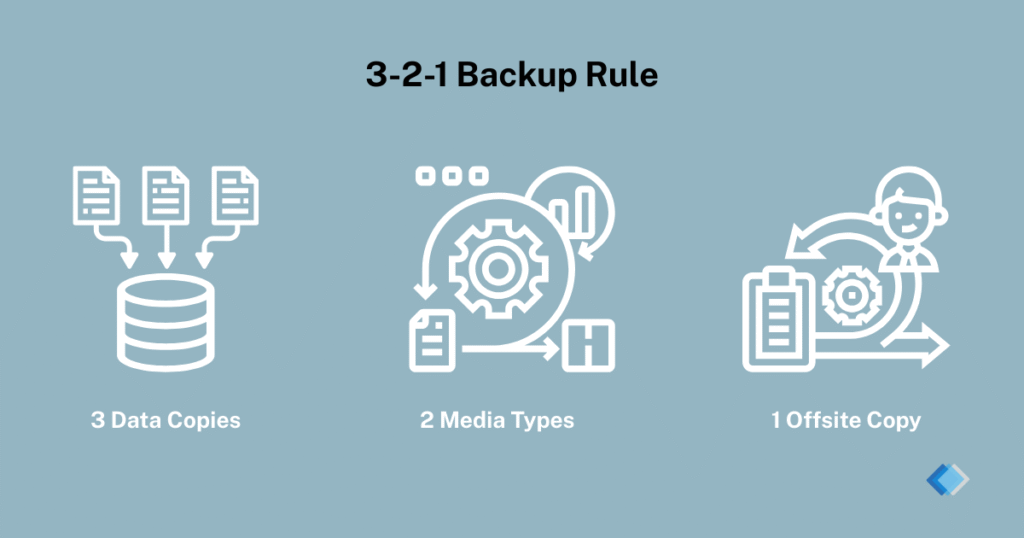
Following the 3-2-1 backup strategy: three copies of data, on two different media types, with one stored offsite gives you multiple safe restore points.
Regular restore testing is critical; a backup is only useful if it works when you need it. Testing also validates your Recovery Point Objective (RPO) and Recovery Time Objective (RTO) targets, ensuring that you can meet business continuity requirements. After recovery, a post-incident review identifies the root cause of the breach and implements improvements to reduce future risk.
Who offers this?
- Dell EMC storage snapshots
- Veeam immutable backup
- Druva cloud backup (stores, encrypts, restores)
What Backup and Restore Architecture Do You Need for Ransomware?
A ransomware-resistant backup and restore architecture is more than just storing files in the cloud — it’s about designing a system that attackers cannot encrypt, delete, or corrupt.
The foundation, as we mentioned above, is the 3-2-1 backup rule: keep three copies of your data, stored on at least two different types of media, with one copy kept offsite. This ensures you have multiple recovery points even if one system is compromised.
To protect backups from encryption, implement immutable storage — a write-once, read-many format that prevents files from being modified or deleted within a defined retention period. This “locked” state means that even if ransomware infiltrates your environment, it cannot alter your backup copies.
Backups should also be encrypted at rest and in transit. This secures sensitive data not just from attackers, but also from accidental exposure or insider threats. For additional resilience, use air-gapped backups, which are physically or logically isolated from your production network.
Equally important is regular restore testing. Many businesses only discover that their backups are incomplete or corrupted during a real incident. Testing verifies that files can be restored within your defined Recovery Time Objective (RTO) and Recovery Point Objective (RPO), ensuring your business can recover quickly without losing critical data.
A well-planned architecture combines these elements into a layered defence, so even if ransomware penetrates your front-line security, you can restore, recover, and get back to business with minimal disruption.
How to Set RPO/RTO Targets for Ransomware Recovery?
When ransomware strikes, having backups is only half the equation. The other half is knowing how quickly and how much data you can recover without crippling your operations. That’s where Recovery Point Objective (RPO) and Recovery Time Objective (RTO) come in.
Recovery Point Objective (RPO)
RPO defines the maximum amount of data your business can afford to lose, measured in time. For example, if your RPO is four hours, your backups must capture data at least every four hours to avoid losing more than that in an incident. A shorter RPO means more frequent backups, but also requires more storage and bandwidth.
Recovery Time Objective (RTO)
RTO defines how quickly you need to restore systems after an outage. If your RTO is two hours, your backup and restore processes must be able to bring critical systems back online within that window. Lower RTOs often require high-speed recovery technologies such as instant VM restore, snapshot replication, or failover clusters.
Setting these targets is both a technical and business decision. You’ll need to:
- Identify your critical systems — Not all workloads need the same RPO/RTO.
- Analyse downtime costs — Understand the financial and operational impact of delays.
- Test against real scenarios — Confirm your targets are achievable under load.
- Review regularly — Adjust as your business grows or your technology changes.
By aligning RPO and RTO with your backup architecture and business priorities, you ensure that recovery after ransomware is both technically possible and operationally sustainable.
Who offers this?
- Veeam – Configurable RPO/RTO settings with instant recovery.
- Druva – Cloud-native restores optimised for low RTO.
- Dell EMC – High-availability storage for critical workloads.
What Should You Do Immediately After a Suspected Infection?
When ransomware is suspected, every minute counts. Quick, decisive action can contain the threat and reduce recovery time.
- Isolate the affected systems. Disconnect the infected device from your network to stop the ransomware from spreading to other systems.
- Disable shared drives and network access. Temporarily shut down file shares, VPN access, and remote desktop connections to prevent further encryption of shared resources.
- Preserve evidence. Avoid reformatting or wiping the system immediately. Keeping logs, ransom notes, and other traces can help cybersecurity teams analyse the attack, identify the ransomware strain, and support regulatory reporting under PDPA.
- Notify your internal response team. Alert your IT and management teams so they can activate the incident response plan. This should include internal communications, stakeholder notifications, and if necessary, legal and public relations coordination.
- Engage your security partner. Contact your managed security provider or Callnet’s response team for containment and remediation support. Expert intervention can help isolate the infection, block attacker communication channels, and start the recovery process.
- Begin recovery using verified backups. Only restore from backups that have been scanned and verified clean. Avoid reconnecting recovered systems to the network until you are certain the threat has been fully removed.
Who offers this?
- Callnet Solution – On-site and remote ransomware incident response.
- Sangfor – Network isolation and forensic tools.
- Veeam/Druva – Clean restore points for safe recovery.
Ransomware Readiness Checklist (Downloadable)
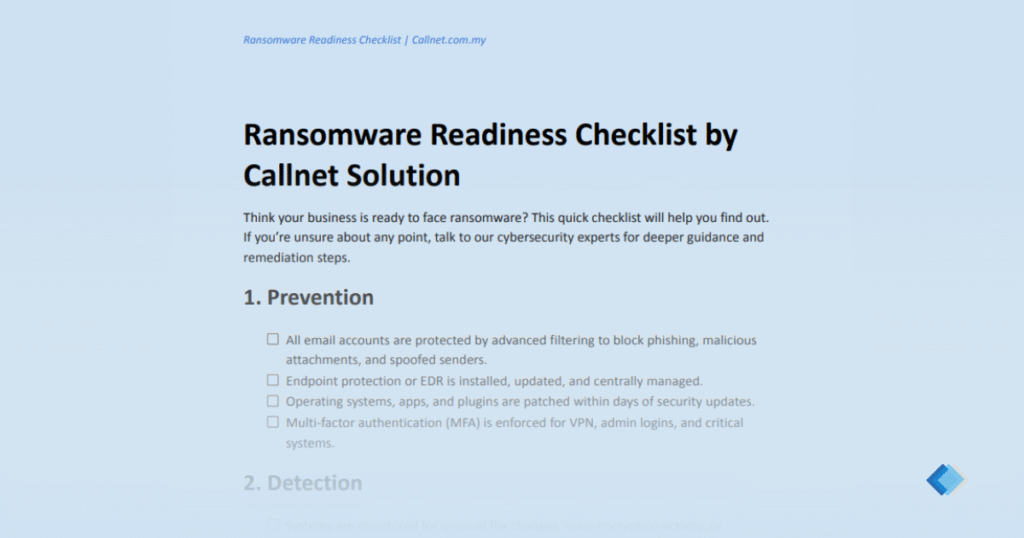
Think your business is prepared for a ransomware attack? Use this quick checklist to find out. If you’re unsure about any point, download our full Ransomware Readiness Checklist for a more detailed self-assessment and practical guidance.
📄Download the Full Checklist PDF Here
How Can Callnet Solution Help?
Callnet Solution works with Malaysian businesses to design and deploy ransomware protection strategies that fit their size, industry, and compliance requirements. We bring together prevention, detection, containment, and recovery tools into a single, manageable framework — so you can focus on running your business, not fighting cyberattacks.
Our Approach: Assess → Architect → Implement → Monitor → Drill
- Comprehensive risk assessment – Identify weaknesses across email, endpoints, networks, and backups.
- Tailored solution design – Match technology to your business needs and budget.
- Implementation & integration – Deploy tools from leading partners like Sangfor, Veeam, Druva, and Microsoft.
- Ongoing monitoring & optimisation – Adjust configurations and policies as threats evolve.
- Incident response support – Rapid containment and recovery if ransomware strikes.


If you’re ready to strengthen your defenses, start with our Free Ransomware Protection Assessment. We’ll show you where you stand and how to close the gaps before attackers have the chance to exploit them.
Final Thoughts: Don’t Wait for the Lockdown
Ransomware is no longer a matter of “if” — it’s “when.” The cost of recovery goes far beyond paying a ransom. Downtime, data loss, regulatory fines, and damaged reputation can cripple operations for months.
A well-planned strategy that combines enterprise-grade ransomware protection with secure cloud backup and recovery solutions ensures you can block, detect, contain, and recover from attacks without guesswork.
Callnet’s team can help you put every layer in place: From email security and endpoint protection to immutable backups and rapid restoration. Whether you need a complete security overhaul or to strengthen existing defences, we’ll guide you every step of the way.
Explore our Cybersecurity for Enterprises solutions to see how we protect Malaysian businesses against evolving threats. Learn about our Cloud Solutions for secure, compliant, and scalable backup and recovery options.


