
Co-managed IT services divide responsibility for one IT environment between an internal IT team and an external managed service provider. Your employees retain control of the systems and decisions that require business knowledge, while the provider supplies additional capacity, specialist skills, tools, or after-hours coverage.
A growing Malaysian business rarely struggles because its IT employees lack ability. The problem is often capacity. Two or three engineers cannot monitor the network overnight, patch every server, support users, manage security alerts, and complete a cloud migration at the same time. Co-managed IT addresses this problem without replacing the internal department.
This guide explains how the model works, what each team manages, how support tickets and projects are divided, and when co-managed IT makes sense for an organization.
What is co-managed IT?
Co-managed IT is a shared support model in which an internal IT department and a managed service provider divide responsibility for the same IT environment. Instead of transferring the entire IT function to an outside company, the organization assigns specific systems, tasks, or support hours to each team. The internal team usually retains work that depends on company knowledge, internal relationships, or management authority. The service provider handles functions that require more staffing, specialized tools, or continuous coverage.
For example, a company opening new branches across the Klang Valley and Johor may already have an experienced IT manager and two support engineers. However, the team may not have enough capacity to monitor every site around the clock or complete a network upgrade while maintaining daily user support.
A co-managed partner extends the existing in-house IT team. This allows internal employees to spend less time clearing repetitive tasks and more time completing projects that support the business.

Over the years, our team has supported businesses across different industries, each with its own operational demands, security risks, and IT priorities.
There is no single solution that fits every organization. If you are unsure which IT management model is right for your business, reach out to Callnet Solution for a free consultation. Our engineers will review your current environment, identify the gaps, and recommend a practical way forward.
Chong YC
CallNet Solution Mangaing Director
How is co-managed IT different from fully outsourced IT?
Co-managed IT differs from fully outsourced IT management because the internal team continues to control part of the environment and make key decisions. Under a fully outsourced arrangement, the managed service provider handles most or all IT functions. This may include the helpdesk, infrastructure management, security operations, vendor coordination, and technology planning.
Under a co-managed arrangement, the provider supports an existing IT department. The scope might cover monitoring, patching, backup, security operations, after-hours support, or selected projects.
An in-house-only model keeps every responsibility within the organization. This provides direct control but limits coverage to the skills, tools, and working hours available internally.
| Factor | In-house IT only | Co-managed IT | Fully outsourced IT |
|---|---|---|---|
| Environment ownership | Internal team | Internal team retains control; responsibilities are shared | Business retains ownership, but the provider manages most functions |
| Day-to-day decisions | Internal team | Internal team, with provider input | Usually led by the provider under an agreed scope |
| After-hours coverage | Limited by internal staffing | Provider can cover agreed gaps | Usually included where contracted |
| Specialist expertise | Limited to internal capabilities | Added when required | Primarily supplied by the provider |
| Institutional knowledge | Fully internal | Retained internally and shared where necessary | Documented and transferred to the provider |
| Typical fit | Well-resourced IT department | Capable but overstretched IT team | Business with little or no internal IT capacity |
Co-managed IT sits between the other two models. It preserves institutional knowledge and decision-making inside the business while adding resources that a lean internal team may not be able to maintain alone.
What stays with the internal team and what moves to the IT partner?
The internal team normally retains responsibilities that depend on business context, while the IT partner handles work that benefits from dedicated staffing, specialist expertise, or management tools.
Internal employees may continue to manage technology priorities, business applications, vendor relationships, security policies, and privileged-access approvals. They also understand how employees work and which operational issues require immediate attention.
The provider may monitor systems, install approved patches, respond to security alerts, test backups, manage overflow tickets, or provide higher-tier engineering support. For instance, a co-managed scope with Callnet Solution may include system monitoring, layered cybersecurity services, and backup and disaster recovery.
| Function | Possible internal-team responsibility | Possible partner responsibility |
|---|---|---|
| Technology priorities | Sets priorities and approves changes | Advises on feasibility and risk |
| Vendor and business context | Manages internal relationships | Supports technical coordination |
| Privileged access | Approves users and access policies | Implements approved access changes |
| Helpdesk | Handles business-context and on-site requests | Covers overflow, higher tiers, or after-hours requests |
| Patch management | Approves maintenance windows | Deploys patches, monitors results, and reports failures |
| Network monitoring | Reviews dashboards and business impact | Monitors, diagnoses, and alerts |
| Endpoint security | Defines policies and exceptions | Detects, isolates, and helps remediate threats |
| Backup and recovery | Defines recovery priorities, RTOs, and RPOs | Runs backups, tests restore points, and supports recovery |
| IT projects | Provides requirements and approvals | Supplies design and implementation expertise |
This table is only a starting point. The correct split depends on the organization’s existing team, systems, operating hours, and risk profile. Every function should have a named owner. This prevents duplicated work and reduces the chance of a task being missed because each team believed the other was handling it.
How does escalation work in a co-managed IT model?
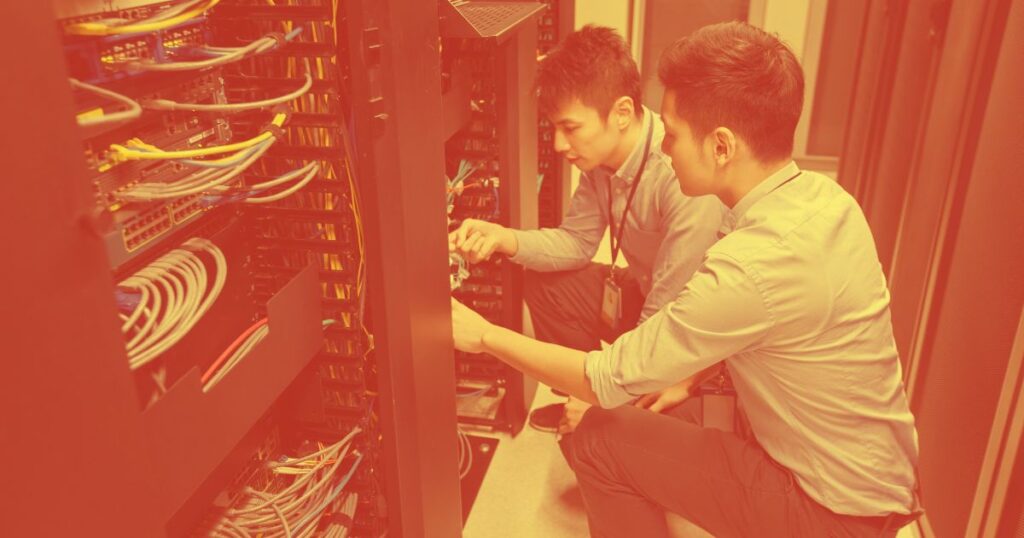
Escalation works by assigning each support category and technical tier to a defined team before incidents occur. One organization might keep Tier 1 support internally and send complex server, cloud, network, and security issues to its provider. Another might assign Tier 1 overflow to the provider so internal engineers can concentrate on infrastructure and projects.
A typical escalation structure may look like this:
- Tier 1: Password resets, access requests, basic device problems, and common application issues.
- Tier 2: Recurring faults, configuration problems, network issues, and server troubleshooting.
- Tier 3: Complex infrastructure failures, cloud architecture, advanced security incidents, and vendor escalation.
- Emergency escalation: Severe outages, suspected cyberattacks, backup failures, and incidents that affect several locations or business-critical systems.
Both in-house and outsourcing teams need access to consistent ticket information, device records, and escalation notes. This may involve a shared ticketing platform or connected workflows between the organization’s system and the provider’s tools.
The managed service provider may operate its own remote monitoring and management platform because the platform supports monitoring, automation, patching, and reporting across customer environments. If so, the agreement should specify what the internal team can view and how device inventories, maintenance records, and service histories can be exported when required.
Clear ownership and escalation rules reduce delays and stop employees from contacting several people for the same problem (while nobody takes final responsibility).
How is project work separated from day-to-day IT support?
Project work should have its own scope, resources, milestones, and commercial terms so it does not disrupt daily support. Recurring support covers ongoing operational work such as user requests, system monitoring, approved patching, backup checks, and incident response. Project work has a defined objective and completion point.
Examples of co-managed IT projects include:
- Migrating users to Microsoft 365
- Replacing firewalls across several branches
- Refreshing servers in a Selangor data center
- Redesigning a wireless network
- Moving selected workloads to a public or hybrid cloud
- Deploying new endpoint security controls
- Testing a disaster recovery plan
Separating projects from recurring support protects both workstreams. The provider can assign engineers with the required expertise, while the support team continues to monitor systems and respond to users.
The internal team still plays an important role. It supplies business requirements, confirms acceptable downtime, coordinates with department heads, and approves changes that affect employees or operations.
When does co-managed IT fit a growing organization?
Co-managed IT fits when an organization has a capable internal team but lacks enough time, coverage, tools, or specialist expertise to meet all its IT requirements.
Company size can indicate growing complexity, but employee count alone should not determine the model. A 70-user company operating around the clock may need more external coverage than a 300-user company with simple systems and fixed office hours.
Common signs that co-managed IT may be suitable include:
- Important alerts remain unmonitored after business hours.
- Routine patching and maintenance are repeatedly delayed.
- Senior engineers spend too much time on basic support tickets.
- Cloud, network, or security projects remain in the backlog.
- The organization depends heavily on one or two key IT employees.
- New branches or remote sites have increased support demands.
- The internal team lacks specialist security, cloud, or recovery experience.
- Management needs clearer reporting on system health and technology risks.
Personal data protection may also affect the engagement. Malaysia’s Personal Data Protection Standard requires practical safeguards for electronically processed personal data and calls for a contract when an appointed third party performs data-processing activities. Relevant provisions of the Personal Data Protection (Amendment) Act 2024 came into operation in stages during 2025. The organization should therefore define access, confidentiality, security, incident handling, and data-processing responsibilities in the service agreement.
How should you structure a co-managed IT engagement?
A co-managed IT engagement should define responsibilities, access, tools, escalation paths, and reporting requirements before operational work begins. A practical setup process includes the following five steps:
- Map every responsibility List the systems and functions within the scope. Assign an internal owner and a provider owner for monitoring, patching, user support, security, backup, vendor escalation, and project work.
- Agree on access and tools Confirm which ticketing, monitoring, remote-management, and documentation platforms will be used. Define what each team can access and which changes require approval.
- Define escalation rules Set the ticket categories, technical tiers, response targets, after-hours procedures, and emergency contacts. Include a clear path for security incidents and major outages.
- Set a reporting cadence Schedule regular service reviews covering system health, patch status, backup results, security events, unresolved tickets, capacity concerns, and project progress.
- Plan the first 90 days Sequence access grants, system discovery, documentation, tool deployment, knowledge transfer, and support handoffs. Moving every responsibility at once can create unnecessary confusion.
The agreement should also explain how responsibilities can change. A growing company may initially need only after-hours monitoring and backup support, then add security operations or project assistance later.
Which IT management model fits your business?
The right IT management model depends on how much internal capability you already have and how much operational responsibility you want to retain. Choose in-house IT when your department has enough people, tools, coverage, and expertise to manage every required function.
- Choose fully outsourced IT when you have little or no internal IT capacity, or when the business wants one provider to manage most technology operations under an agreed service level.
- Choose co-managed IT when you already employ capable IT professionals but need more coverage, specialist expertise, operational tools, or project capacity. This model allows your team to retain control of priorities and institutional knowledge while receiving support where the workload is heaviest.
Callnet Solution can structure co-managed support around the responsibilities your team already handles, with additional capacity for monitoring, cybersecurity, backup, recovery, infrastructure management, and technical projects.
If your organization operates in the Klang Valley, Selangor, Johor, Penang, or elsewhere in West Malaysia, contact Callnet for a consultation to identify which responsibilities should remain internal and which ones would benefit from external support.