
According to the Gitnux Disaster Recovery Statistics 2025 report, 93% of companies that suffer a major data disaster never survive. Yet, 42% still do not have a tested recovery plan. Many Malaysian businesses discover the gap between “we have backups” and “we can recover” at the worst possible moment: when a server dies, a building loses power, or ransomware encrypts a production database.
Backup is only the first step. The harder question is how quickly you can get the business running again and how much data you are willing to lose along the way. In this guide, we will walk through the requirements you should fix before you choose any backup and disaster recovery solution, so a vendor demo answers your needs instead of setting them.
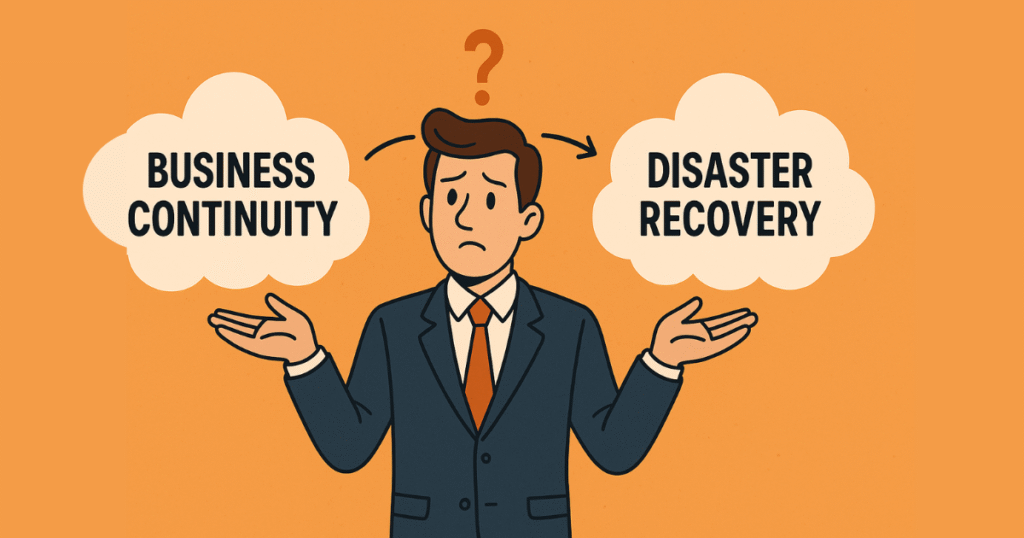
What is the difference between backup, recovery, disaster recovery, and business continuity?
Backup, recovery, disaster recovery, and business continuity are four related but distinct ideas, and conflating them is where most plans go wrong.
A backup is a copy of data kept separately so you can restore it later. Recovery is the act of restoring that data and bringing a system back to a working state. Disaster recovery (DR) is the coordinated process of restoring IT systems after a significant outage, often at a secondary site. Business continuity is the wider organizational plan that keeps the company operating through a disruption, of which DR is the technology component.
Put simply: backup gives you the copy, recovery uses the copy, disaster recovery is the playbook for restoring whole systems, and business continuity is how the business keeps trading while that happens.
What are RPO and RTO, and why do they decide everything else?
RPO and RTO are the two numbers that turn a vague wish for “good backups” into a measurable recovery target, and almost every design choice flows from them.
Recovery point objective (RPO) is the maximum amount of data, measured in time, that your business can afford to lose. If your last usable copy was taken at 2:00 PM and a failure strikes at 5:00 PM, you have lost three hours of work; an RPO of one hour would mean that gap is unacceptable. RPO therefore sets how often you must back up or replicate.
Recovery time objective (RTO) is the maximum acceptable length of time a system can be down before it is restored to service. An RTO of four hours means operations must be back within four hours of the incident being declared. RTO sets your downtime tolerance and largely determines how much you must invest in standby infrastructure.
The two are independent.You can have a tight RPO and a loose RTO, or the reverse.
A finance team archiving documents overnight might accept a 24-hour RPO but still need the document system back within two hours. A payment platform might tolerate a few hours of downtime yet demand near-zero data loss. Tighter targets cost more, so the job is to set each number honestly per workload rather than buying one expensive tier for everything.
How do you set RPO & RTO for real Malaysian workloads?
You set RPO and RTO by ranking workloads on two attributes: data loss tolerance and downtime tolerance. Not every system deserves the same protection, and forcing one tier across the board wastes money on low-priority data while underprotecting the systems that actually stop the business. Workload priority is the lens that keeps spending proportional.
Consider four common Malaysian examples:
- A retail POS system in a Selangor shopping mall cannot lose completed sales and cannot stay offline during trading hours. That argues for a short RPO (minutes) and a short RTO, often achieved with continuous replication to a standby system.
- A hotel property management system (PMS) in Penang holds live reservations and folios. Losing a few minutes of bookings is damaging, and an extended outage at check-in is visible to every guest, so it sits in a high-priority tier with frequent replication.
- A clinic’s patient records system in Johor must protect sensitive personal data and stay recoverable, but a short, planned restore window may be acceptable for non-emergency operations. The RPO needs to be tight; the RTO can be moderate.
- A finance department’s document archive in KL changes slowly. A nightly backup with a 24-hour RPO and a same-day RTO is usually sufficient and far cheaper.
Mapping each system this way produces a tiered plan where critical, near-real-time workloads get replication and standby capacity, and slower-changing data gets conventional scheduled backup. The output is a defensible budget rather than a flat, expensive guess. Choosing the right types of data backup and recovery for each tier follows directly from these numbers.
How do replication and failover hit aggressive RTO & RPO targets?
Replication and failover are the techniques that make near-zero RPO and short RTO achievable for the workloads that warrant them. Replication continuously copies data, and often whole virtual machines, from a primary system to a secondary one, so the standby copy is never more than seconds or minutes behind production. That directly shrinks RPO, because the recovery point is always recent.
Failover is the act of switching operations to that replicated standby when the primary fails. Because the standby is already running or ready to start, failover collapses RTO from the hours a full restore would take to minutes. The trade-off is cost: you are maintaining a second copy of infrastructure. This is why replication is reserved for the high-priority tiers identified above, while lower tiers rely on scheduled backups that are cheaper but slower to restore. Pairing replication with a resilient cloud integration target is a common way to gain a second site without building one.
What is DRaaS, and when does it make sense in Malaysia?
Disaster recovery as a service (DRaaS) is a model where a provider hosts your replicated systems and the failover environment, so you do not have to build and maintain a second data center yourself. Instead of buying duplicate hardware and a separate site, you replicate workloads into the provider’s cloud and fail over there when disaster strikes, paying for the standby capacity as a service.
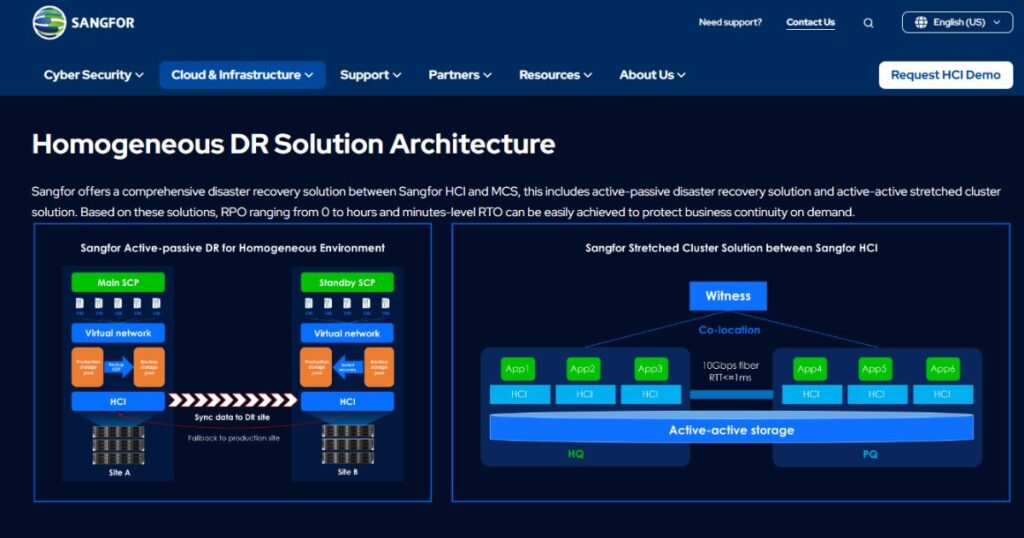
DRaaS makes the most sense for Malaysian SMEs and mid-market firms that need short RTOs but cannot justify the capital and staffing of a dedicated secondary site. It suits organizations in the Klang Valley and other commercial hubs that depend on a handful of critical systems and want predictable monthly costs rather than large upfront outlay. It is less compelling when you already operate two well-equipped sites, or when regulatory or latency constraints require everything to stay on specific local infrastructure. Our essential guide to disaster recovery as a service (DRaaS) goes deeper on provider selection, and the underlying mechanics overlap with the broader cloud recovery tools and solutions most providers build on.
Why is restore testing the part most plans skip, and how do you test?
Restore testing is the single most neglected part of any backup strategy, and an untested backup is best treated as no backup at all. Plenty of organizations run backups faithfully for years, then learn during a real incident that the jobs were silently failing, the media was corrupt, or the documented procedure no longer matched the current environment.
The only way to know your RTO and RPO are real is to prove them.
Practical restore testing means scheduling recovery drills, not just monitoring backup success messages. Restore a sample workload to an isolated environment and confirm the data is intact and the application starts. Run a full failover test for your highest-priority systems at least annually, time it against your RTO, and check the recovered data against your RPO.
How do immutability and retention protect backups from ransomware?
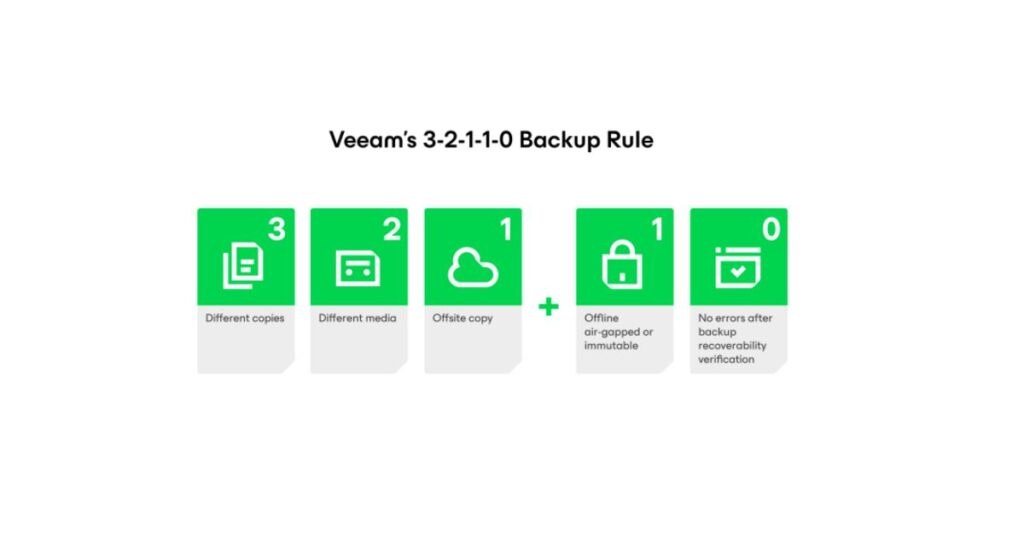
Immutability and sensible retention are what stop an attacker from destroying your last line of defense, and in 2026 they are no longer optional for any serious plan. According to the Veeam 2025 Ransomware Trends Report, 89% of organizations whose data was attacked said the ransomware targeted their backup repositories, yet only 32% used immutable backups. Attackers go after backups precisely because deleting them removes the victim’s ability to recover without paying.
Immutability means a backup cannot be altered or deleted for a defined period, even by an administrator with valid credentials, so ransomware and malicious insiders cannot wipe it. Retention defines how long copies are kept and how many versions you hold, which matters because some intrusions sit undetected for weeks before triggering; you need a clean copy from before the compromise.
Combining immutable storage with a clear retention policy, ideally with an offsite or air-gapped copy, gives you a recovery point that survives the attack itself. This sits at the intersection of backup and security, which is why robust cybersecurity and recovery planning belong in the same conversation.
How does PDPA affect backup & recovery decisions?
Malaysia’s PDPA shapes how you store, protect, and recover personal data, and the 2024 amendments raised the stakes for getting recovery right. The Personal Data Protection (Amendment) Act 2024 introduced mandatory data breach notification duties that came into force on 1 June 2025. Data controllers who believe a breach has occurred must notify the Personal Data Protection Commissioner as soon as practicable, with notification to affected individuals required where the breach is likely to cause significant harm. A ransomware event that compromises personal data can trigger these obligations.
From a technical standpoint, that means your recovery design should help you answer two questions quickly after an incident:
- What data was affected, and
- Can you restore a clean, complete copy.
Immutable backups, clear retention, and tested restores all support that. This is technical guidance rather than legal advice, and you should confirm your specific obligations with a qualified adviser. Building these controls into a managed data protection approach keeps recovery and compliance aligned instead of bolted on after the fact.
Plan your recovery before you choose a tool

The order matters: define your downtime and data-loss tolerances per workload, rank systems by priority, decide where replication and failover are justified, set retention and immutability, and then test that the whole thing actually recovers.
A product chosen against clear RPO and RTO targets will serve you far better than one bought on features alone.
If you would like an experienced team to help translate your workloads into concrete recovery objectives and a tested plan, Callnet works with businesses across West Malaysia to design backup and disaster recovery that holds up when it matters. Reach out for a no-obligation conversation about where your current setup stands and what it would take to close the gaps.